
You open VS Code to fix one typo and watch 2 GB of RAM vanish, an extension host pin a core, and a folder index spin for thirty seconds before you can type.
in development v0.5.2
BriskEdit
A native macOS code editor that opens instantly, without the Electron bloat.
A SwiftUI and AppKit editor — not Electron — that opens instantly, stays under 120 MB idle, and runs your code from one button that figures out the toolchain itself. No tasks.json, no extension host, no second runtime.
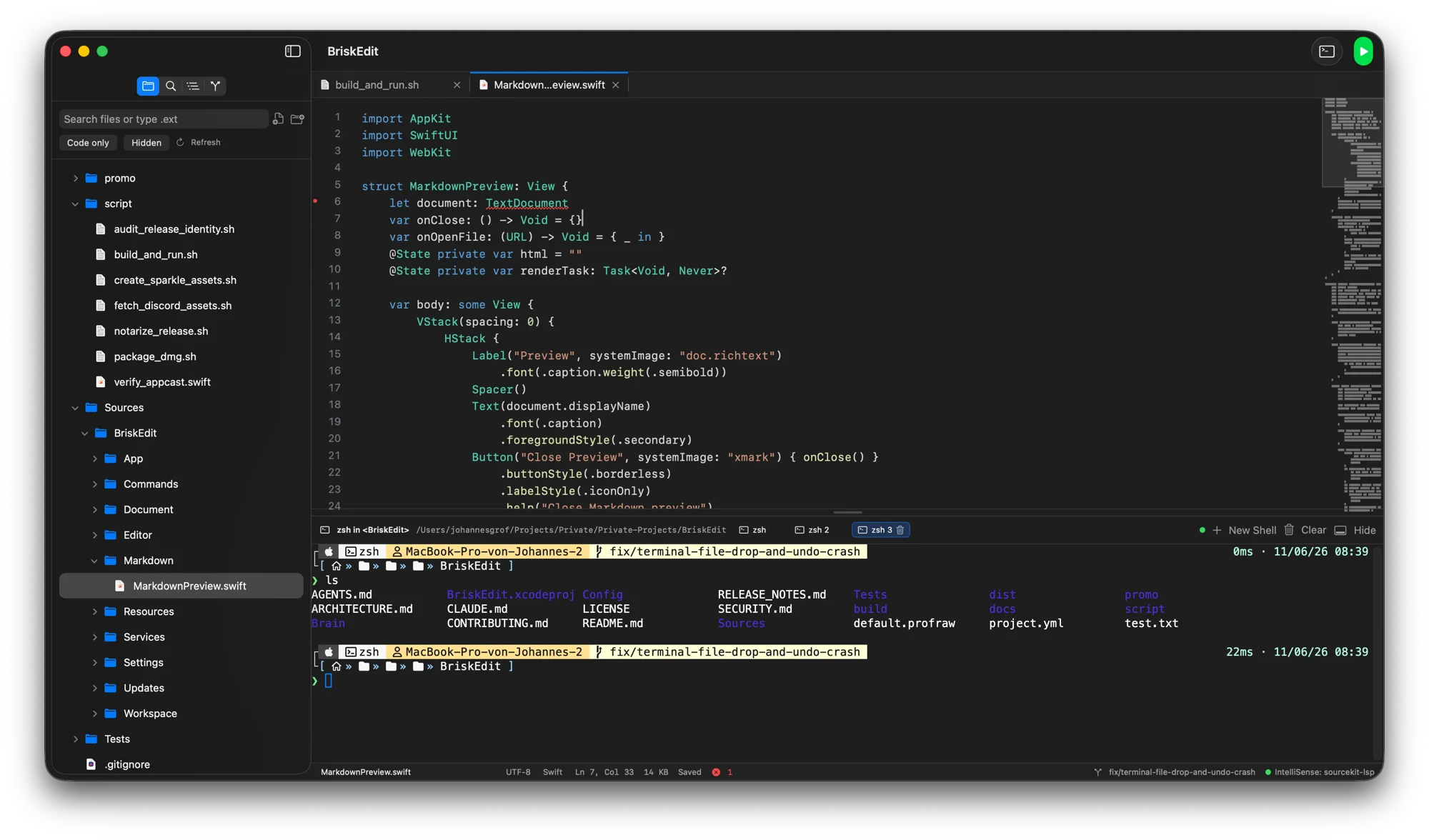
A native editor on TextKit 2 and AppKit with an integrated SwiftTerm terminal, a toolchain-discovering Run button, Markdown preview, gitignore-aware find, and LSP completion from the servers already on your box — no Electron, no telemetry.
A fast native surface that leans on the tools already installed instead of a marketplace of extensions.
For developers tired of waiting on 2 GB of RAM and an extension host just to fix one typo.
Developer setup
source without GitHub CLI
git clone https://github.com/jx-grxf/BriskEdit.git && cd BriskEdit source with GitHub CLI
gh repo clone jx-grxf/BriskEdit && cd BriskEdit latest release
open https://github.com/jx-grxf/BriskEdit/releases/tag/v0.5.2 download stable macos with GitHub CLI
gh release download v0.5.2 -R jx-grxf/BriskEdit -p 'BriskEdit-0.5.2.dmg' download stable archive with GitHub CLI
gh release download v0.5.2 -R jx-grxf/BriskEdit -p 'BriskEdit-0.5.2.zip' Highlights
- Opens a 100 MB file instantly — TextKit 2 view, no launch-time indexing.
- One Run button discovers the toolchain per file (clang, swiftc, python3, node, cargo, go).
- Integrated SwiftTerm terminal, live Markdown preview, and gitignore-aware find-in-folder.
- LSP completion and diagnostics from your own language servers — no marketplace, no telemetry, no Electron.